
iRacing patch 2 adds pit lane, UI and physics fixes for Season 4
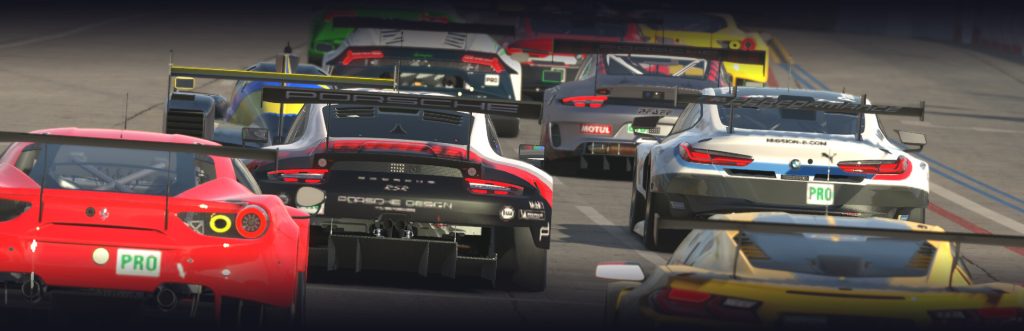
iRacing released 2026 Season 4 Patch 2 on November 3, bringing a series of simulator fixes for race control, the user interface, selected cars and Road Atlanta. In the official notes, iRacing said the downtime was planned for a patch that included “great updates and important fixes” for Season 4.
Race control changes reach pit starts and cautions
The most significant updates sit in race control. iRacing said the wait timer used to hold participants starting from the pits has been increased at all tracks, with the goal of improving traffic flow for drivers joining racers already on the circuit.
Several caution-related problems were also addressed. When DNC cautions are in use, iRacing fixed an issue where a car’s next lap crossing could be counted incorrectly if a caution began on the first lap ahead of the leader. The studio also fixed scoring when a caution was thrown during the start of a Feature race.
More work went into multiple pace car multi-class starts, a feature iRacing says is being prepared for release. The fixes include improved pacing behaviour for the pace car in restart zones, a correction for the spotter telling drivers to catch a random car number while pacing, and a fix for “Maintain Speed” being shown for a class as its pace car crossed the finish line.
On road courses with split start and finish lines, iRacing also fixed an issue where slow down messages were not appearing in the pace order UI once a pace car crossed the finish line. The developer said the multiple pace car multiclass starts feature is now “in a place where we are assessing the timing and placement of enabling it in the closing weeks of the current season.”
HUD widgets and camera tools get a clean-up
Several of the update’s fixes land in the HUD and supporting tools. The Track Map Widget no longer shows vehicles entering Silverstone GP pit lane flying around the map inaccurately, while the Pit Summary Widget now resets the optional repair display correctly when the car is reset.
The Pit Summary Widget also gains a new option to display pit errors. That option is off by default, so pit errors will initially appear in the Pit Speed Widget instead. iRacing said the Pit Speed Widget can now show messages such as “Too Far Left!” and “Too Much Damage!”, and those messages can be toggled. When pit errors and the pit lane map are both enabled, the errors replace the pit lane map.
Other UI fixes cover the Damage Report Widget appearing and then disappearing after crossing the line and a start zone in some cases, the pop-out Driver Inputs interface and its steering and speed settings, and the Camera Tool’s triple-screen FOV range, which was not fully available until Settings was opened.
The patch also fixes a Simulator crash that could occur when saving a HUD profile on a triple-monitor setup while rendered separately. iRacing additionally fixed checkboxes that could fall outside the interface bounds when a time value reached four digits, and corrected the pace car missing from the top of the Focus Car Selection menu.
Simucube flag, audio fix and car changes
Under Controls, iRacing added a new flag for Simucube users: [Force Feedback] simucubeTreatLinkPortAsWheel=1. Setting it to 0 stops iRacing from checking whether the Simucube link port has a wheel connected. iRacing says that may help users with Simucube active pedals but no Simucube wheel, where force feedback can otherwise be shut off by mistake.
The audio system also received a change, with improved processing of audio device changes or failures to help prevent Simulator errors.
The car list is smaller than the race control and UI work, but it still includes several notable fixes. On the BMW M2 Racing (G87), drivetrain inertia has been increased to address a rear-end lock-up after rapid successive upshifts and the car spinning out instantly when double shifting from 5th to 7th.
The Super Formula SF23 now has improved Tech Inspection processes to prevent failing tech with no visible reason shown in the garage. iRacing also updated setups for the Dirt Big Block Modified to fix ride height failures and fixed the Dirt Sprint Car so brake bias adjustment is no longer unintentionally available via control bindings.
Other car fixes include heavy steering loads and oscillations on the EURO NASCAR V8GP over 3D curbing, an obsolete lightmap removed from the Supercars – 2019, a typo fixed in the Caterham Academy & 420R garage menu, and a collision issue in the 420R that could cause a moon launch or Simulator crash.
iRacing also corrected the Porsche 911 Cup (992.2) so its vehicle model and windshield wipers show the right versions at certain camera distances, and fixed the Porsche 963 GTP so mid-section damage is represented correctly in the Car Damage Widget.
Road Atlanta rounds out the patch, with a fix for visual popping of brake markers at Turn 10.
Sources
- iRacing.com Motorsport Simulations: 2026 Season 4 Patch 2 Release Notes [2026.11.02.01]
Tags: cars, patch notes, race control, UI

Covers F1, sim racing and racing games for Sports Games Plus.
finally fixed the pit lane map?
that Silverstone pit lane thing has been weird for ages, yeah. i care more about the pit errors on the speed widget though – “Too Much Damage!” is brutal but useful. feels like one of those tiny fixes that saves you from a dumb black flag in endurance.
yeah the damage message sounds handy honestly. i just want the map not sending cars to the moon when they enter pits lol
same, but the damage widget bit is also nice. i lose races to stupid pit errors more than to bad pace sometimes, so this actually helps a bit.